When vector loops/doubles up the fill is empty, how to keep it full?

Wondering how to accomplish a certain animation task? Ask here.

Moderators: Víctor Paredes, Belgarath, slowtiger

Post Reply
User avatar
tac
Posts: 2
Joined: Sat Mar 07, 2026 8:48 am

When vector loops/doubles up the fill is empty, how to keep it full?

Post by tac »

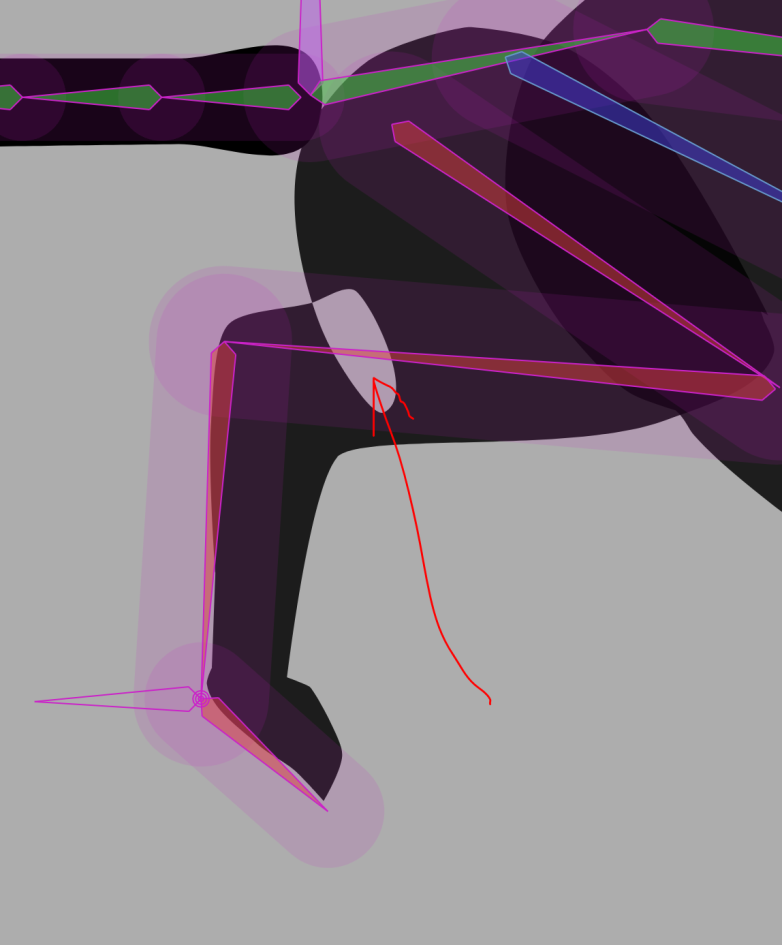
Hi, I have an issue with vectors turning their fill invisible when they overlap. This seems like a simple setting issue, but I cannot for the life of me find a setting that seems to change this, and can't figure out a way to word it to find a solution in forums or tutorials. Even just knowing what this behavior is called would be a huge help.

I'm working with a single shape, when the shape is manipulated in a way that the vectors edges create a loop, the filled shape vanishes. I don't want this to happen.

For example where the near-back paw bends it overlaps and makes a transparent shape.
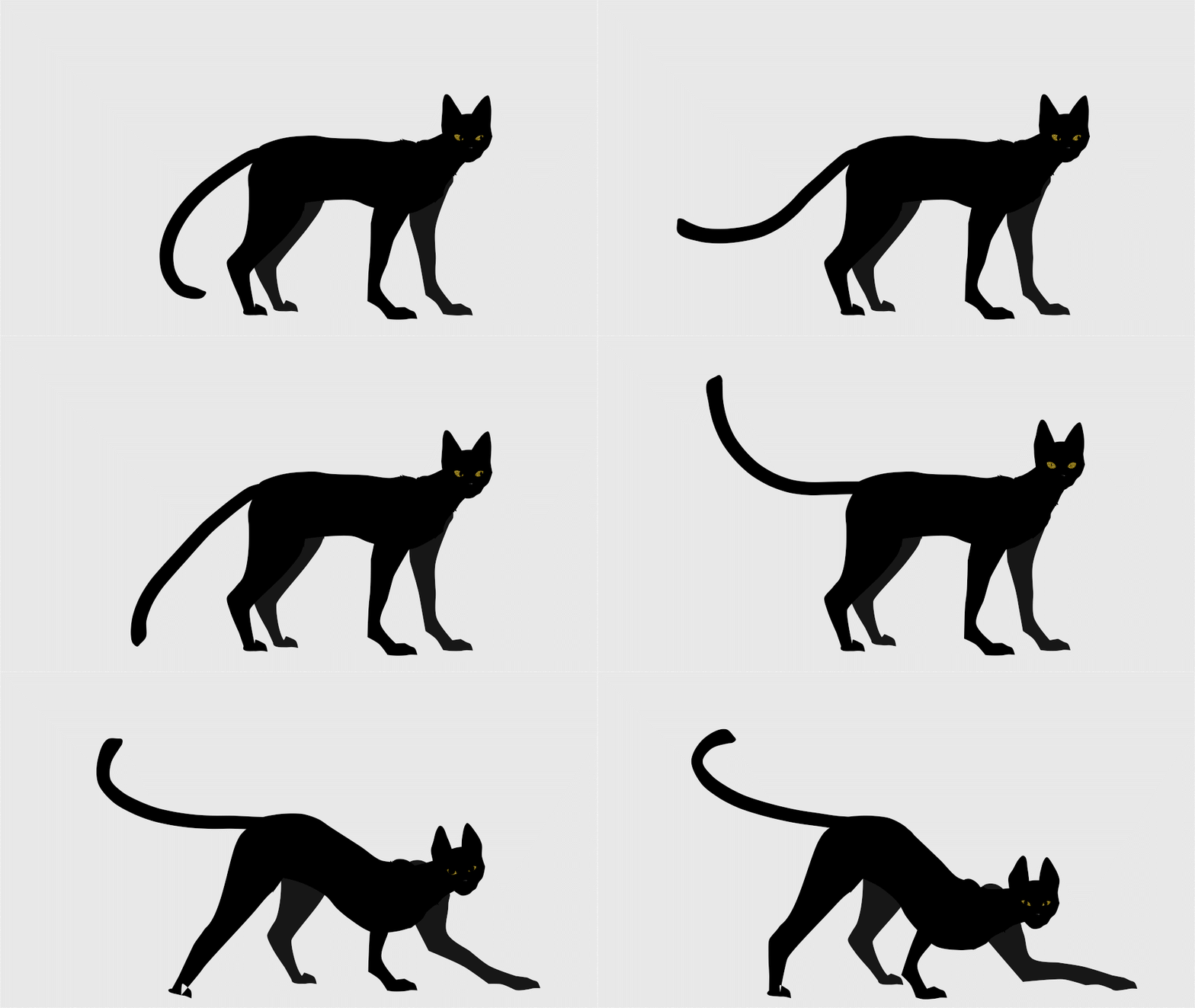
Image
Image

For context, each leg is a single shape with it's own layer, this includes the paw (don't mind the broken bones in the front leg lol).
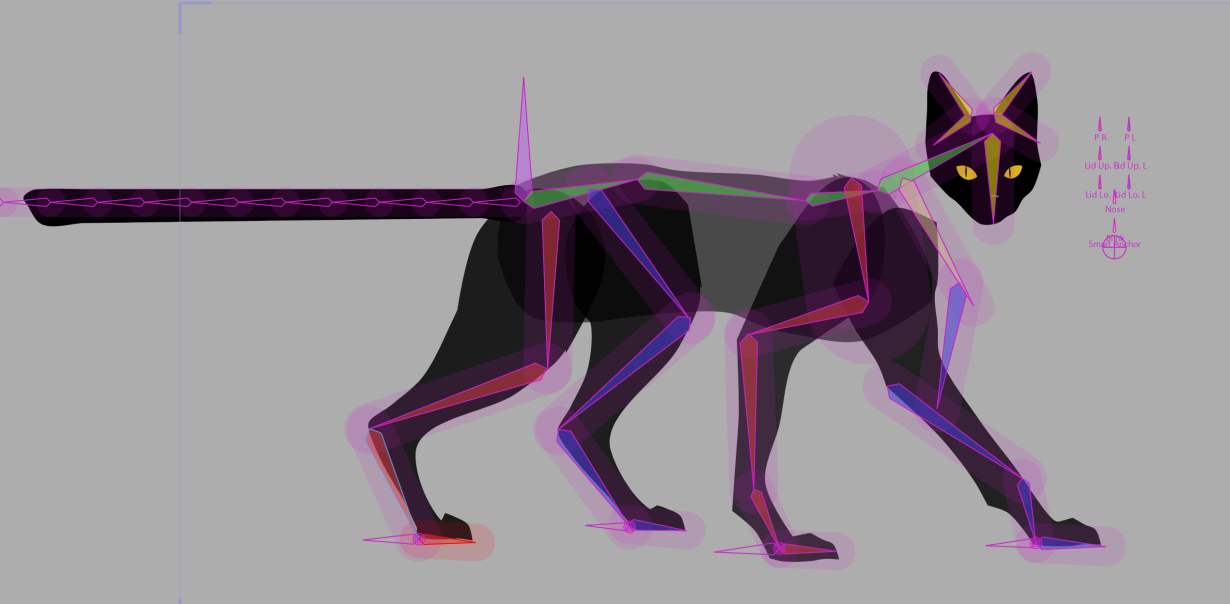
Image

I only recently started using Moho, and have never worked with vectors before, so any advice would be greatly appreciated!

-Tac

All images/animation are made by me :)
User avatar
Greenlaw
Posts: 10896
Joined: Mon Jun 19, 2006 9:45 am
Location: Los Angeles
Contact:

Re: When vector loops/doubles up the fill is empty, how to keep it full?

Post by Greenlaw »

Hi,

Coincidentally, this morning, I mentioned a technique for solving shape overlap here...

Rigid bones vs. smooth

I explain in greater detail in my Moho vector drawing tutorial here...

Let's Draw Vector Art In Moho! Part 1

Specifically, the lesson is towards the end of Part 1.

Hope this helps.
Animations, Tutorials, and Cats (Oh, My!) Little Green Dog Channel on YouTube!

D.R. Greenlaw
Artist/Partner - Little Green Dog
Little Green Dog Channel | Greenlaw's Demo Reel Channel
User avatar
tac
Posts: 2
Joined: Sat Mar 07, 2026 8:48 am

Re: When vector loops/doubles up the fill is empty, how to keep it full?

Post by tac »

Hi,

I was hoping, since she's essentially a silhouette, that there was a way to make the overlap simply stay black without creating extra shapes? The paw squishing until it touches the leg is plausible.
If not, then I'll go with the smartbone route for this. (F to any debut users who can only have 2 smartbones per file...)

The elbow style bone is a a good call, but doesn't behave well for this specific purpose. I'll be sure to remember it for other things though!

Thank you for the fast answer! Your YT tutorials have been my main source of information about Moho this far :)

-Tac
User avatar
hayasidist
Posts: 3986
Joined: Wed Feb 16, 2011 11:12 am
Location: Kent, England

Re: When vector loops/doubles up the fill is empty, how to keep it full?

Post by hayasidist »

couple of thoughts here:

sometimes fewer points - (meaning points not very close to each other) - works better;

or, if that's really not an option, using point animation (outside a smart bone action) to sort out what the bones won't do for you is not against any laws! ;-)
User avatar
synthsin75
Posts: 10447
Joined: Mon Jan 14, 2008 2:20 pm
Location: Oklahoma
Contact:

Re: When vector loops/doubles up the fill is empty, how to keep it full?

Post by synthsin75 »

That is how Moho knows you want a hole in a shape. If that's not the intent, you just want to separate those parts with a vector line and make two separate shapes.
User avatar
Greenlaw
Posts: 10896
Joined: Mon Jun 19, 2006 9:45 am
Location: Los Angeles
Contact:

Re: When vector loops/doubles up the fill is empty, how to keep it full?

Post by Greenlaw »

tac wrote: Tue Apr 07, 2026 8:57 am I was hoping, since she's essentially a silhouette, that there was a way to make the overlap simply stay black without creating extra shapes
When a single shape overlap itself, it always cancels out, so your option is to either split it so it can overlap (the shapes can share the same curves,) or to animate the paw's points so it doesn't overlap.

TBH, when the character is a solid silhouette, as in this situation, making the paw a separate shape (separate curves) and using Bind Points to bind it to the paw bone is probably the easiest and most sensible method. There's actually no need for a Smart Bone or shape-splitting for this. Just make the paw its own element and place it on top.

I would probably make the paw a separate layer completely because I find breaking parts out like this more manageable in Moho, but the result is the same as keeping all the parts in one vector layer.
Animations, Tutorials, and Cats (Oh, My!) Little Green Dog Channel on YouTube!

D.R. Greenlaw
Artist/Partner - Little Green Dog
Little Green Dog Channel | Greenlaw's Demo Reel Channel
User avatar
Greenlaw
Posts: 10896
Joined: Mon Jun 19, 2006 9:45 am
Location: Los Angeles
Contact:

Re: When vector loops/doubles up the fill is empty, how to keep it full?

Post by Greenlaw »

For example...

Image

Hope this helps! :D
Animations, Tutorials, and Cats (Oh, My!) Little Green Dog Channel on YouTube!

D.R. Greenlaw
Artist/Partner - Little Green Dog
Little Green Dog Channel | Greenlaw's Demo Reel Channel
User avatar
Greenlaw
Posts: 10896
Joined: Mon Jun 19, 2006 9:45 am
Location: Los Angeles
Contact:

Re: When vector loops/doubles up the fill is empty, how to keep it full?

Post by Greenlaw »

One more thing: For the cat's knee area, as seen in your first image, I would simplify the drawing (fewer points, as Wes suggested) and probably not use Bezier points. There's no reason this should overlap when the vector art is optimized for this deformation. Smart Bones could help to achieve a specific shape, but it might not be necessary.
Animations, Tutorials, and Cats (Oh, My!) Little Green Dog Channel on YouTube!

D.R. Greenlaw
Artist/Partner - Little Green Dog
Little Green Dog Channel | Greenlaw's Demo Reel Channel
User avatar
Greenlaw
Posts: 10896
Joined: Mon Jun 19, 2006 9:45 am
Location: Los Angeles
Contact:

Re: When vector loops/doubles up the fill is empty, how to keep it full?

Post by Greenlaw »

Hi Tac,

I had a few minutes before dinner, so I threw together this example...

Image

In the above, I used a couple of Smart Bone Actions to sharpen the bend in the knee, ankle, and paw.

Image

I also split the leg curve into three shapes. This part literally took a few seconds to set up, so I think it's worth doing. It's important when you need to see how the limb segments overlap, but it's also important in a silhouette so you don't get that Boolean subtraction result.

Note: If an overlap occurs at the knee, I'd probably split that region too, so four shapes total. Plan to add a couple more seconds. :wink:

If you'd like to see the project file, I can upload it after dinner.

Hope this helps.
Animations, Tutorials, and Cats (Oh, My!) Little Green Dog Channel on YouTube!

D.R. Greenlaw
Artist/Partner - Little Green Dog
Little Green Dog Channel | Greenlaw's Demo Reel Channel
Post Reply