
Hi.
Don't know why but now when I use the freehand tool it's creating a ton of points.
I tried point reduction in the Freehand options. From 2 to 90%. I also tried extreme high and low in the Smoothing setting.
Nothing.
I tried the point reduction tool. Still nothing changes.
I also tried the selection tool Simplify. Bupkas!
Any ideas?
ADDITIONAL INFO: That seems to be only happening on a specific layer. I just drew on a different character and it's working fine.
Freehand too using WAY too many points... tried everything.
Moderators: Víctor Paredes, Belgarath, slowtiger
Freehand too using WAY too many points... tried everything.
M1 Mac Mini.
Moho Pro 14
Moho Pro 14
Re: Freehand too using WAY too many points... tried everything.
Try this tool by Alex Cousin: https://alexcousin.gumroad.com/l/zxmqkg he’s actively developing it and it does some very cool things.
Re: Freehand too using WAY too many points... tried everything.
FWIW, I had been mostly happy with the new FH in Moho 14.4, but definitely a +1 for the third-party tool above!
I've been using Alex's Freehand Pro for a few days, and it's been an excellent unofficial update for the native Freehand. I'm finding FHP is more accurate, and it solves or at least minimizes endpoint issues. FHP also does a better job at closing a curve (compare by drawing a rectangle with each tool). In addition to these improvements, the tool adds a Lazy Mouse mode to Moho, which is great for precision tracing.
Highly recommended!
I've been using Alex's Freehand Pro for a few days, and it's been an excellent unofficial update for the native Freehand. I'm finding FHP is more accurate, and it solves or at least minimizes endpoint issues. FHP also does a better job at closing a curve (compare by drawing a rectangle with each tool). In addition to these improvements, the tool adds a Lazy Mouse mode to Moho, which is great for precision tracing.
Highly recommended!
Animations, Tutorials, and Cats (Oh, My!) Little Green Dog Channel on YouTube!
D.R. Greenlaw
Artist/Partner - Little Green Dog
Little Green Dog Channel | My DreamWorks Animation Reels & Others
D.R. Greenlaw
Artist/Partner - Little Green Dog
Little Green Dog Channel | My DreamWorks Animation Reels & Others
Re: Freehand too using WAY too many points... tried everything.
Re: Point Reduction with the native Freehand tool, increasing the Point Reduction value in the box at the bottom of Freehand's options window really should reduce the points. The default of 15% does a decent job, 0% draws a zillion points, and 100% draws minimal points. Note that this is a completely separate control from Smoothing, and PR needs to be manually set by entering a new value. (But you can scrub the value.)
Examples:


It's curious that the feature isn't working correctly in a specific layer for you, though. Not sure why that would happen, but try copying and pasting the art into a new vector layer, and continue drawing there. Does that help? If so, I suspect the original layer somehow got corrupted.
BTW, Alex's Freehand Pro adds a new mode for Point Reduction. I haven't compared it directly to the native mode yet, but the result looks pretty good so far.

Examples:
It's curious that the feature isn't working correctly in a specific layer for you, though. Not sure why that would happen, but try copying and pasting the art into a new vector layer, and continue drawing there. Does that help? If so, I suspect the original layer somehow got corrupted.
BTW, Alex's Freehand Pro adds a new mode for Point Reduction. I haven't compared it directly to the native mode yet, but the result looks pretty good so far.
Last edited by Greenlaw on Sat Mar 14, 2026 9:26 am, edited 1 time in total.
Animations, Tutorials, and Cats (Oh, My!) Little Green Dog Channel on YouTube!
D.R. Greenlaw
Artist/Partner - Little Green Dog
Little Green Dog Channel | My DreamWorks Animation Reels & Others
D.R. Greenlaw
Artist/Partner - Little Green Dog
Little Green Dog Channel | My DreamWorks Animation Reels & Others
Re: Freehand too using WAY too many points... tried everything.
Oh, I meant to mention one more thing. There is a Wire option in FHP that allows me to see the points while drawing in the layer. This is pretty nice when I need to be extra aware of the point count.
Animations, Tutorials, and Cats (Oh, My!) Little Green Dog Channel on YouTube!
D.R. Greenlaw
Artist/Partner - Little Green Dog
Little Green Dog Channel | My DreamWorks Animation Reels & Others
D.R. Greenlaw
Artist/Partner - Little Green Dog
Little Green Dog Channel | My DreamWorks Animation Reels & Others
Re: Freehand too using WAY too many points... tried everything.
WOW!!! 
I was unaware of this tool until today. I had recently made a feature request for a better freehand tool on this forum but this tool makes me happy to draw in Moho now. It had been bothering for some time and it must bother others too because I see post on reddit complaining about Moho's drawing tool/function. I don't even remember how I came across this post, it was from some where else on the net and I'm glad I came across it. Huge difference in drawing.
And yes, to keep your hands drawing style, you are going to have more points. Software that reduces points and/or greatly smooths your lines/artwork takes away your hands character/style. I find that really annoying. You just have to find that balance if you are going to use a smoothing or point reduction feature where it doesn't alter it.
Anyway, I very happy right now. Love this tool!
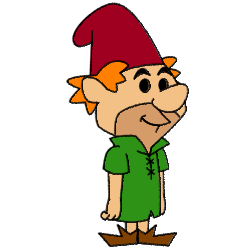
Not a cartoon portrait. Just some guy I draw from time to time.
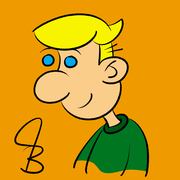
I was unaware of this tool until today. I had recently made a feature request for a better freehand tool on this forum but this tool makes me happy to draw in Moho now. It had been bothering for some time and it must bother others too because I see post on reddit complaining about Moho's drawing tool/function. I don't even remember how I came across this post, it was from some where else on the net and I'm glad I came across it. Huge difference in drawing.
And yes, to keep your hands drawing style, you are going to have more points. Software that reduces points and/or greatly smooths your lines/artwork takes away your hands character/style. I find that really annoying. You just have to find that balance if you are going to use a smoothing or point reduction feature where it doesn't alter it.
Anyway, I very happy right now. Love this tool!
Not a cartoon portrait. Just some guy I draw from time to time.

Re: Freehand too using WAY too many points... tried everything.
I too love the Freehand Pro tool! It feels more natural than the built-in freehand tool. The major difference for me is that the lines that I draw with Freehand Pro do not change after I finish the stroke. What you draw is exactly what you end up with. Whereas there is always a subtle shift in the line when using the regular tool.