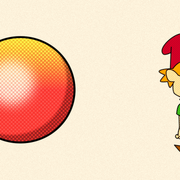
Doing some halftone test. Those not familiar, old comics use to print in this style to save on ink. Can not say my current test is 100% but just adding the effect and see how far I want to go with this. Cool effect.
I love effect in the gradients. The flat tones seem a little off. Maybe the size of the halftone? Not sure.
Are you using blend modes to add this effect?
Re: Halftone Print
Posted: Wed Jun 17, 2026 6:57 pm
by DK
Hey J.Baker!
How did you get the halftone effect in Moho?
Cheers
D.K
Re: Halftone Print
Posted: Wed Jun 17, 2026 7:20 pm
by J. Baker
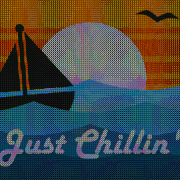
I created an image in PureBasic that is basically vector dots. I use the image as a mask along with blending methods and minor blur effects. Here's another image. Maybe tomorrow I will create a zip file containing all this if anyone is interested.
Re: Halftone Print
Posted: Wed Jun 17, 2026 9:48 pm
by synthsin75
I think on some of these the halftone is too small to give the vintage print look.
Granted, print was never at 1080p.
Re: Halftone Print
Posted: Thu Jun 18, 2026 2:20 am
by slowtiger
That's good enough for a single scene IMHO, but a "real" half-tone would have 4 colour channels with tilted orientation in each ...
If you aim for a a "moving print" look, that's possibly best done in some specialized plug-in in a compositing program. (I'm quite sure they used that workflow in the "Spiderverse" films.)
I'm a sucker for all enlarged textures myself, be it film grain, printing artifacts, scratches, paper textures, and so on, but despite experimenting with that for years I've never been really satisfied with any digital simulation of it. Best was always something scanned in - the real stuff.
Re: Halftone Print
Posted: Thu Jun 18, 2026 2:23 am
by hayasidist
J. Baker wrote: ↑Wed Jun 17, 2026 7:20 pm
I created an image in PureBasic that is basically vector dots. I use the image as a mask along with blending methods and minor blur effects. Here's another image. Maybe tomorrow I will create a zip file containing all this if anyone is interested.
still much more to do to make it really work (Slowtiger's comments noted!) but it's not a pressing priority for me right now.
Re: Halftone Print
Posted: Thu Jun 18, 2026 5:33 am
by J. Baker
slowtiger wrote: ↑Thu Jun 18, 2026 2:20 am
If you aim for a a "moving print" look, that's possibly best done in some specialized plug-in in a compositing program.
Here's some video for you. But yeah, true halftone would use CMYK and tilted at angles. I may try that next.
Yeah, I originally tried using the brushes but only looked good with straight lines. Be nice if the brushes could brush in a tiled format and not overlap. Kind of like a stamp function.
Re: Halftone Print
Posted: Thu Jun 18, 2026 6:15 am
by synthsin75
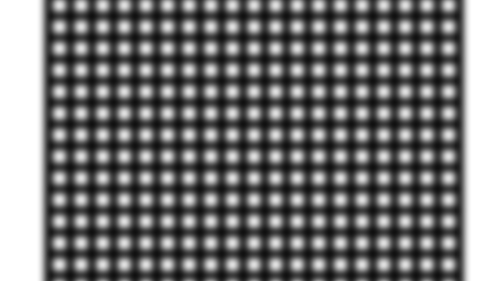
Just tried to see if a grid with blur could be used as a halftone. The result causes a weird visual illusion. This is a PNG.
Re: Halftone Print
Posted: Thu Jun 18, 2026 9:40 am
by J. Baker
I almost got true CMYK Halftone! Just got to do some adjustments. A little more time.
Re: Halftone Print
Posted: Thu Jun 18, 2026 11:20 am
by J. Baker
I'm getting closer but it still is not working out right. My brain needs a break. Will try some more after a bit.
Re: Halftone Print
Posted: Thu Jun 18, 2026 11:56 am
by slowtiger
Offset print colours are translucent so they can add up. Try setting the top layers to multiply.
Re: Halftone Print
Posted: Thu Jun 18, 2026 12:09 pm
by J. Baker
Thanks for the tip. Will try some more in a bit.
Re: Halftone Print
Posted: Thu Jun 18, 2026 2:08 pm
by J. Baker
Ok, instead of rotating the CMYK frames, I did a shift in X and Y axis for each frame. Looks a lot better than the rotation method. What do you guys think? Download the Moho file below to check it out yourself.
EDIT: Actually, CMY dotted frames are blended on top of the animation with a completely filled black frame on the bottom.
Download Removed - Updated in another post
Re: Halftone Print
Posted: Thu Jun 18, 2026 3:15 pm
by J. Baker
I made some minor adjustments. I forgot I had scaled the CMY frames when I rotated them.
Download Removed - Updated in another post
This is still a work in progress but it is getting there. May be easier to just fake the halftone process but it's a challenge.