

With this topic I'm as curious about other peoples experiences, as in sharing my own. So, I hope no one minds my post in this section of the forum. I recently illustrated a little children's book. By the time I was through, I was so 'in character' that it was a piece of cake to draw a little animated sequence. I put some of the drawings on the page corners to serve as a flip book (bonus feature). Do any Anime Studio users have projects that they've animated and output as printed material, graphic novel, etc.? My efforts here are pretty humble on the animation side, but it was a lot of fun.
Here's the animated sequence:
http://www.vimeo.com/5401506
And, well crap, I thought Lulu was maintaining a series of preview pages for this project. They're gone. I'll try to get some images up at my site before to long. Anyway, here's a link to the cover art at least.
http://stores.lulu.com/animatedlane
Book Art
Moderators: Víctor Paredes, Belgarath, slowtiger
Re: Book Art
Hi John,
Welcome to the forum. You can certainly post you work here. Maybe the "Share your Work" section might be a little better for you, but it's not a big deal.
I think your drawings looked great, and likelike. What did you use to draw it?
I'm totally a beginner, but it looked to me like you used a frame by frame approach, which isn't really one of Anime Studio's strengths.
But after seeing it, I need to go pet my cat.
Welcome to the forum. You can certainly post you work here. Maybe the "Share your Work" section might be a little better for you, but it's not a big deal.
I think your drawings looked great, and likelike. What did you use to draw it?
I'm totally a beginner, but it looked to me like you used a frame by frame approach, which isn't really one of Anime Studio's strengths.
But after seeing it, I need to go pet my cat.
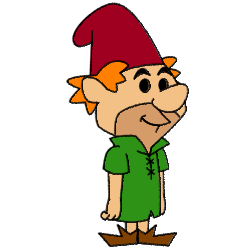

book art
I'm glad you both found the drawings agreeable to look at. And J., AS has such nice control over line taper, and fills color smoother than some other apps , it does indeed seem like a fine tool for some print applications.
I referred to my work as an example to show what I'm talking about, not to showcase it, particularly; hence the general discussion area. I admit that I don't have the greatest skill in communicating my intent. I guess I'm most curious here about independent animators developing their own creations (properties) across different media.
Rogermate, the software I used was the free Pencil application. The dissolve-a-mation was done in After Effects. I'm now routinely drawing my key frames in Pencil, then importing them into Anime Studio Pro along with an 8 bit audio scratch track. That's your animatic right there. Pencil can be super flaky, ASP being a much better 'production tool' when it's crunch time. However, you can find out how to be delicate with Pencil by searching it's forum.
http://www.pencil-animation.org/
I referred to my work as an example to show what I'm talking about, not to showcase it, particularly; hence the general discussion area. I admit that I don't have the greatest skill in communicating my intent. I guess I'm most curious here about independent animators developing their own creations (properties) across different media.
Rogermate, the software I used was the free Pencil application. The dissolve-a-mation was done in After Effects. I'm now routinely drawing my key frames in Pencil, then importing them into Anime Studio Pro along with an 8 bit audio scratch track. That's your animatic right there. Pencil can be super flaky, ASP being a much better 'production tool' when it's crunch time. However, you can find out how to be delicate with Pencil by searching it's forum.
http://www.pencil-animation.org/
Book Illustrations
The book illustrations were pencil on bristol board, colored in Photoshop. After years of messing with this I finally would up with some Photoshop brushes that have a nice chalky texture. I don't know how to draw over pastel with smooth pencil in real life, hence the Photoshop treatment.
I intentionally limited the palette. The overall effect is something of a throwback to an old litho look. For anyone who doesn't know what that is, as if anyone in your family has old print from your great grandmother's house.
Speaking of retro, is there any great period looks done in Anime Studio? I just love Black Thin Kings, fantastically animated in Flash by Paulo Muppet of Birdo Studios, Brazil.
http://vimeo.com/2366191
I intentionally limited the palette. The overall effect is something of a throwback to an old litho look. For anyone who doesn't know what that is, as if anyone in your family has old print from your great grandmother's house.
Speaking of retro, is there any great period looks done in Anime Studio? I just love Black Thin Kings, fantastically animated in Flash by Paulo Muppet of Birdo Studios, Brazil.
http://vimeo.com/2366191