Bones Selection

General Moho topics.

Moderators: Víctor Paredes, Belgarath, slowtiger

User avatar
striker2311
Posts: 226
Joined: Wed Aug 26, 2020 7:55 am

Bones Selection

Post by striker2311 »

Hello Guys,
Wish you all a happy day ahead.

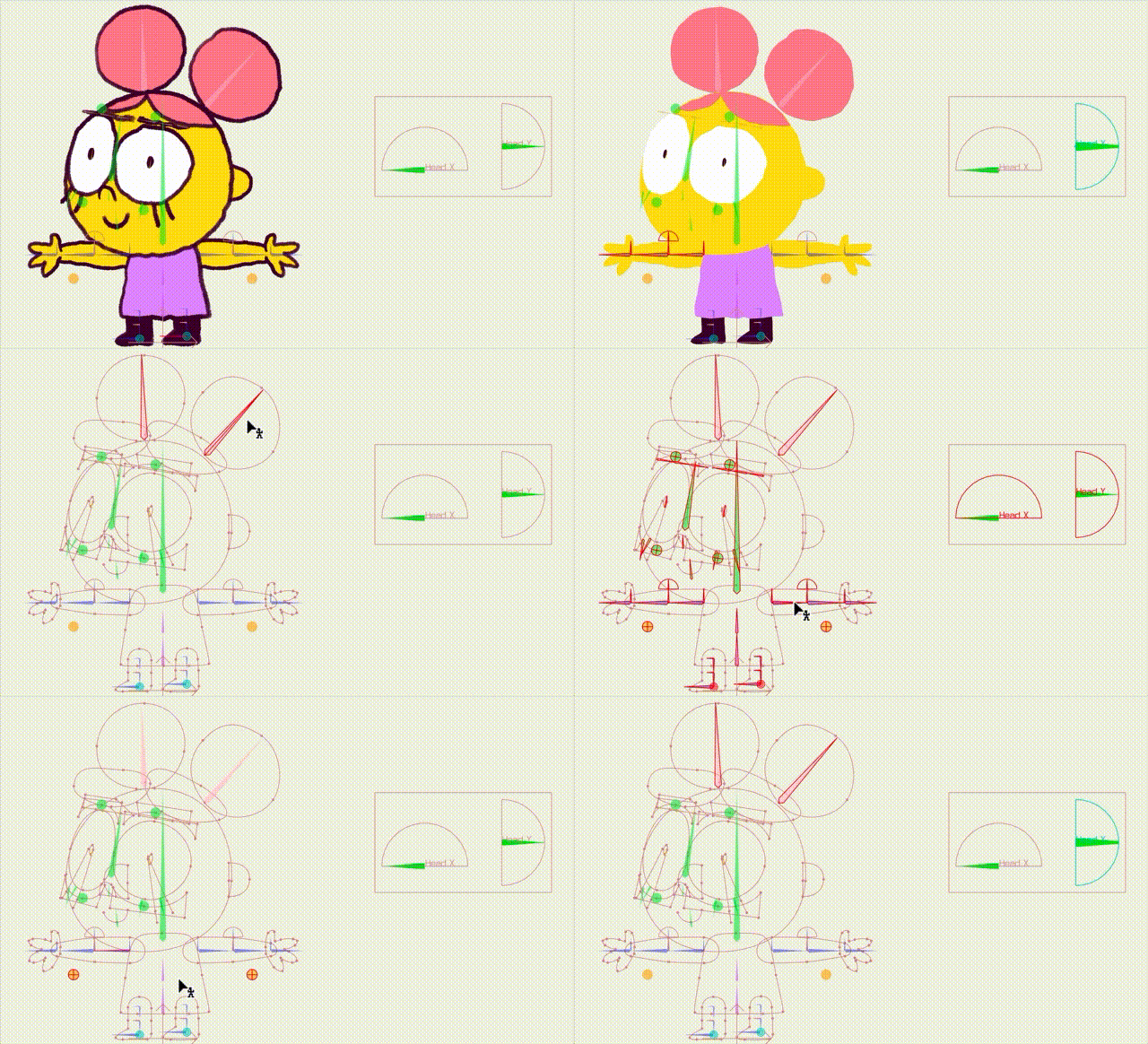
I was rigging a character its anime-inspired, so it has complex back hairs and hence complex bone structure for those backhair, though to set up different things like bone dynamics, wind, or animation of back hairs, I have to go and select every bone each time which is time consuming, we can do something about it with setting-up bone colors but that way we need to remember what color was assigned to each section of rig.

Is there a script or way to actually save a rig's bons under some name-
For example- backhairs bones are selected once and saved under name "Back Hair", and whenever we go to that (let's suppose a button) all the back hair bones get selected. That way we can save bones under names as required.

If anyone know or can do something about it then it will be a great help really. :(
User avatar
SimplSam
Posts: 1275
Joined: Thu Mar 13, 2014 9:09 am
Location: London, UK
Contact:

Re: Bones Selection

Post by SimplSam »

I think the closest to that Bone Group functionality is Bone Selection Buttons - https://mohoscripts.com/script/sz_bone_ ... on_buttons by Stan.

There is also Toggle Color Bones - https://mohoscripts.com/script/LK_ToggleColorBones by Lukas ... but you did mention that you weren't keen on remembering colors.
Moho 14.4 » Win 11 Pro 64GB » NVIDIA GTX 1080ti 11GB
Moho 14.4 » Mac mini 2012 8GB » macOS 10.15 Catalina
Tube: SimplSam


Sam
User avatar
striker2311
Posts: 226
Joined: Wed Aug 26, 2020 7:55 am

Re: Bones Selection

Post by striker2311 »

SimplSam wrote: Thu Jun 08, 2023 2:07 am I think the closest to that Bone Group functionality is Bone Selection Buttons - https://mohoscripts.com/script/sz_bone_ ... on_buttons by Stan.
Yeah, that seems to fit what I requested. Thanks for this, Sam :D
SimplSam wrote: Thu Jun 08, 2023 2:07 am There is also Toggle Color Bones - https://mohoscripts.com/script/LK_ToggleColorBones by Lukas ... but you did mention that you weren't keen on remembering colors.
Yeah, Same, it will be far better in my opinion if I don't need to remember all the association of colors to those specific bones.
User avatar
Lukas
Posts: 1364
Joined: Fri Apr 09, 2010 1:00 am
Location: Netherlands
Contact:

Re: Bones Selection

Post by Lukas »

Stan's tool is great, just keep in mind it saves bone names into a group. So if you rename a bone it will no longer be part of that group.

Slightly related: I really wish Class M_BoneGroup would have a fVitruvian boolean property, so we could use it for regular/non-vitruvian grouped bones instead. Because then we could use all the functions in the same fashion as with grouped points, without Moho assuming it's meant for switching limbs etc. That way we would have bone groups with bones being able to be renamed without leaving the group, and also copy a bone to a new layer or different rig with groups staying intact automatically. (Simply having fEnabled be false, doesn't work, because it will always create vitruvian keys if you try to animate the skeleton, even if it the group is disabled)
User avatar
SimplSam
Posts: 1275
Joined: Thu Mar 13, 2014 9:09 am
Location: London, UK
Contact:

Re: Bones Selection

Post by SimplSam »

Yes a more generic M_BoneGroup was/is somewhat of a missed opportunity - given that most of the hard work had already been done.
Moho 14.4 » Win 11 Pro 64GB » NVIDIA GTX 1080ti 11GB
Moho 14.4 » Mac mini 2012 8GB » macOS 10.15 Catalina
Tube: SimplSam


Sam
User avatar
Greenlaw
Posts: 10841
Joined: Mon Jun 19, 2006 9:45 am
Location: Los Angeles
Contact:

Re: Bones Selection

Post by Greenlaw »

In general, I'd like to see better item grouping and organization tools throughout Moho. This includes Bones but I'd also like to see better management tools for Actions, Styles, Layer Comps, and other Moho items.

We got a glimpse of this idea in Moho 13.0 with its new Actions window. The new window was abandoned by Moho's current owners/developers because of serious flaws in that release, but I'd like to see them revisit the idea and put their own spin on it.
Animations, Tutorials, and Cats (Oh, My!) Little Green Dog Channel on YouTube!

D.R. Greenlaw
Artist/Partner - Little Green Dog
Little Green Dog Channel | Greenlaw's Demo Reel Channel
Daxel
Posts: 1092
Joined: Wed Mar 27, 2019 12:34 pm

Re: Bones Selection

Post by Daxel »

Greenlaw wrote: Thu Jun 08, 2023 9:42 am In general, I'd like to see better item grouping and organization tools throughout Moho. This includes Bones but I'd also like to see better management tools for Actions, Styles, Layer Comps, and other Moho items.

We got a glimpse of this idea in Moho 13.0 with its new Actions window. The new window was abandoned by Moho's current owners/developers because of serious flaws in that release, but I'd like to see them revisit the idea and put their own spin on it.
Yes.

That's it.
User avatar
striker2311
Posts: 226
Joined: Wed Aug 26, 2020 7:55 am

Re: Bones Selection

Post by striker2311 »

Greenlaw wrote: Thu Jun 08, 2023 9:42 am In general, I'd like to see better item grouping and organization tools throughout Moho. This includes Bones but I'd also like to see better management tools for Actions, Styles, Layer Comps, and other Moho items.
Yes, that is correct grouping and organization tools will ramp up the rigging process for sure :D
User avatar
Lukas
Posts: 1364
Joined: Fri Apr 09, 2010 1:00 am
Location: Netherlands
Contact:

Re: Bones Selection

Post by Lukas »

I keep bumping into this missing Bone Groups. Bone-colors are not sufficient in most cases. Hopefully this example use-case makes it clear:

If we would have bone groups we could:
- Create rig with bones
- Create a bonegroup for the right-arm with 5 bones (shoulder,upperarm,elbow,lowerarm,wrist,hand)
- Create a bonegroup for upperbody (both arms, head, spine)
- Create a bonegroup for full-character (arms, legs,head,spine,feet)

Now I would create a shortcut that runs a script that cycles trhough bone groups (starting with the lowest bone count) that the current selected bone belongs to and selects the bones.

So when animating, I can rotate the upper-right-arm bone, and hit X, to select all right-arm bones, super useful to expose them on the red channels in the timeline.
If I hit X again, it selects all upperbody bones, and again, selects full-character, and again none (revert to upper-right-arm), and again, right-arm bones again.

Currently, I use shortcuts to select bones by color (color channels are always hidden…) to expose them on the red channels, but bones can only belong to a single color and color choices are limited. So in practice I only really hit ‘3' for pupils and '7’ for eyebrows. As those keys need to be exposed often within our current project. I would like to hit a key to select an arm, but color coding all limbs and remembering the shortcuts is not something I want to rely on because my animators will probably not use it and only complain about all the colors and will set them to plain… :')
User avatar
Lukas
Posts: 1364
Joined: Fri Apr 09, 2010 1:00 am
Location: Netherlands
Contact:

Re: Bones Selection

Post by Lukas »

Okay revisiting this subject gave me an idea.

I've implemented it in my all-in-one tool because I want to use this during rig animation without switching tools, I need to think about the best place to put this code so I can release it properly.

It currenlty works on mouse-hover and the press of a keyboard shortcut <`> (+ holding <option/alt> will expand selection).

It will select the hovered bone, plus all connected bones of the same color. This way all limbs can be blue, as long as the spine is purple. And you can still select an individual arm with a single action. (And holding <alt> will select ALL limbs, and holding <alt> and clicking again will select neighbouring groups.

Think of it as a bucket tool for selection.

There's some exceptions to the rule, for example if pupils are both yellow, and not connected together you'd think selecting them as a group won't work, but because they're both single bone groups, hitting the shortcut will select all yellow bones even if they are not chained together.

Image

Still, I think native BoneGroups should exist. But this is a very useful solution for the time being.
User avatar
Greenlaw
Posts: 10841
Joined: Mon Jun 19, 2006 9:45 am
Location: Los Angeles
Contact:

Re: Bones Selection

Post by Greenlaw »

I agree! I've been using Stan's Bone Selection Buttons tool like crazy over the past few weeks because I routinely create 100 or more bones for my production-level characters. I'm so glad I can save/load settings with this tool.

But it would be great to have a native Bones Group creator/selector that saves the data within the project. (In addition to saving an external settings file.)

What I'd really love to see in Moho is a native Bones Window, so I can manage groups, bone types (sets, color, SBD, VB, etc.), and sort/display the bones/groups in helpful ways. The ability to keyframe Bones Group visibility in this window would also be a great feature.

The current pop-up list is terrible when I'm trying to find one bone among a hundred, and it doesn't help that the list doesn't stay open when I need to keep referencing it. This list also doesn't tell me anything about the relationship the bones have in the project or with other bones.

Tip: The current list display forced me to assign 'tags' to the front of every bone name so I can at least 'group' them alphabetically in the Bones popup list. It's not a perfect solution, but it makes working with complex rigging easier for me.

For example, my arm-related bones may begin with 'Arm...', so ArmUp L, ArmLo L, ArmElbow L, ArmHand L. This system keeps the related bones 'grouped' within the list. For practical reasons, I can take this naming convention only so far, though, and it would be better to have actual tags and group assignments.
Animations, Tutorials, and Cats (Oh, My!) Little Green Dog Channel on YouTube!

D.R. Greenlaw
Artist/Partner - Little Green Dog
Little Green Dog Channel | Greenlaw's Demo Reel Channel
User avatar
Greenlaw
Posts: 10841
Joined: Mon Jun 19, 2006 9:45 am
Location: Los Angeles
Contact:

Re: Bones Selection

Post by Greenlaw »

Speaking of alphabetical listing of Bones, last week I made a rig with 12 Vitruvian Bones groups, and it made me nuts that the Vitruvian Group list isn't sorted alphabetically, nor is the Active Bone list, which may also contain several entries. The current 'creation-order' sorting made creating and editing my rig unnecessarily complicated.

At the very least, I'd like to see these lists sorted alphabetically like the regular Select Bone list.

A Bones Window with this capability would still be better, though. I know this is a big request, but I'm hopeful, and my fingers are crossed. Go Team Moho! 😸
Animations, Tutorials, and Cats (Oh, My!) Little Green Dog Channel on YouTube!

D.R. Greenlaw
Artist/Partner - Little Green Dog
Little Green Dog Channel | Greenlaw's Demo Reel Channel
User avatar
Lukas
Posts: 1364
Joined: Fri Apr 09, 2010 1:00 am
Location: Netherlands
Contact:

Re: Bones Selection

Post by Lukas »

Yeah, some kind of bone management window would be nice!

Here's a screenshot of my custom Select Bone dropdown, not only alphabetically sorted, but it has categories. (By the way, PLEASE sort styles alphabetically too, if any dev is reading along)

Weirdly enough, the unnamed bones section one is most useful to me, so I know which bones are not named or accidentally created super tiny bones... I like to force myself to name all bones so animation is easier to copy from rig to rig.

Image

Checkmarks show which bones are selected and greyed out are hidden. The dropdown replaces the original dropdown in the select bone menu, but of course overwriting original functionality is hack and not great.
User avatar
Greenlaw
Posts: 10841
Joined: Mon Jun 19, 2006 9:45 am
Location: Los Angeles
Contact:

Re: Bones Selection

Post by Greenlaw »

Lukas wrote: Sat Feb 21, 2026 8:58 am (By the way, PLEASE sort styles alphabetically too, if any dev is reading along)
Speaking of this, I wish Actions in the Action Window were sorted alphabetically by default. Yes, the Actions Window offers the option to Sort alphabetically, but this setting doesn't persist between sessions and must be selected every time Moho is launched. So, please, at least make this setting persist.

(TBH, I'm not sure that anyone prefers the current sort-by-creation-time order.)

Thanks for listening, guys!
Last edited by Greenlaw on Sat Feb 21, 2026 7:52 pm, edited 3 times in total.
Animations, Tutorials, and Cats (Oh, My!) Little Green Dog Channel on YouTube!

D.R. Greenlaw
Artist/Partner - Little Green Dog
Little Green Dog Channel | Greenlaw's Demo Reel Channel
User avatar
synthsin75
Posts: 10438
Joined: Mon Jan 14, 2008 2:20 pm
Location: Oklahoma
Contact:

Re: Bones Selection

Post by synthsin75 »

Yeah, sort alphabetically should be default.
Post Reply